Export Azure DevOps Work Item History to Word or PDF
Export the revision history of an Azure DevOps work item to Word or PDF. Default with History includes field changes, comments, and who changed each field.
Prerequisite: Install Export to Word/PDF on your Azure DevOps organization
Open Export to Word or PDF on the work item
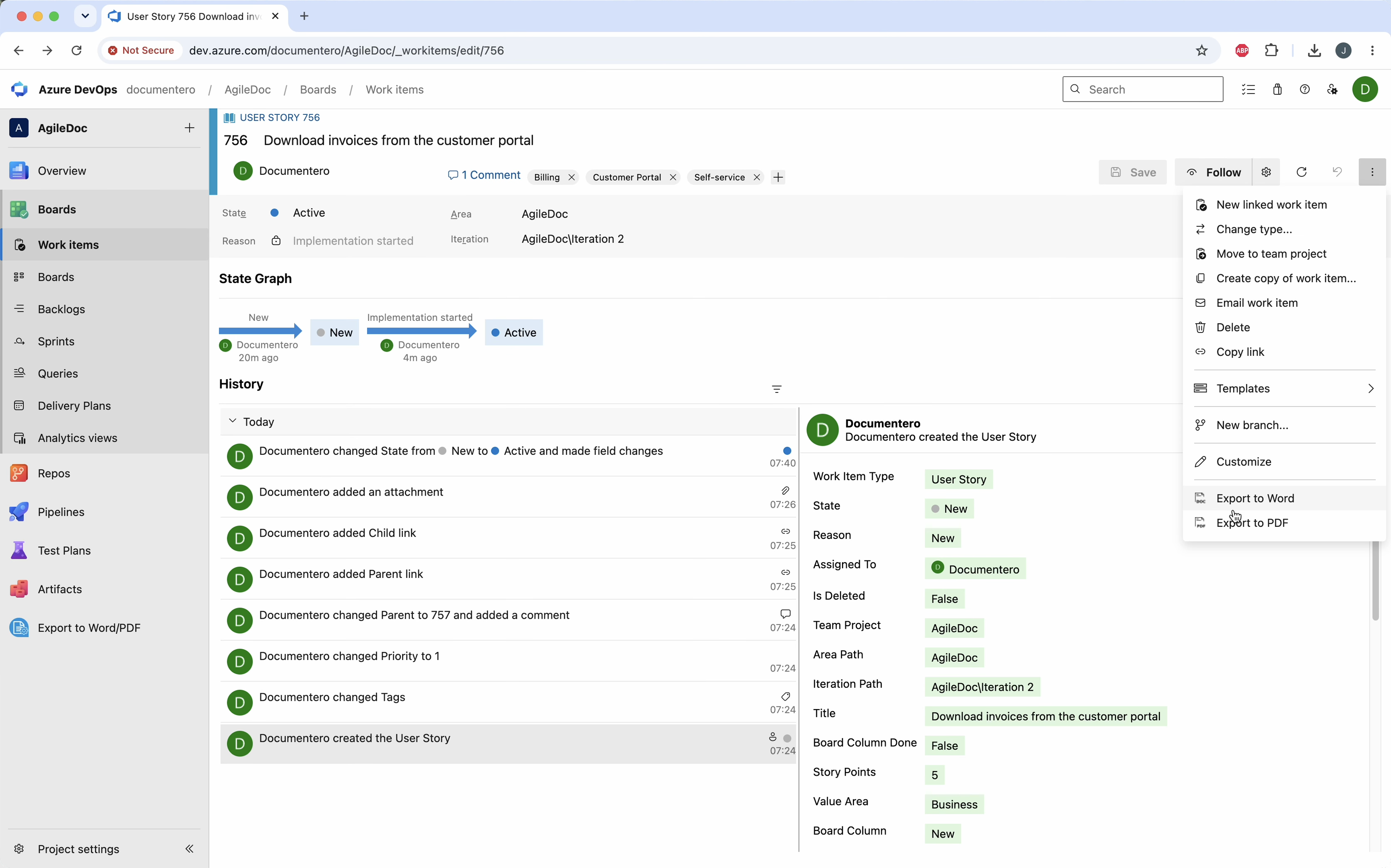
Open the work item and choose Export to Word or Export to PDF from the context menu.
Choose the history template
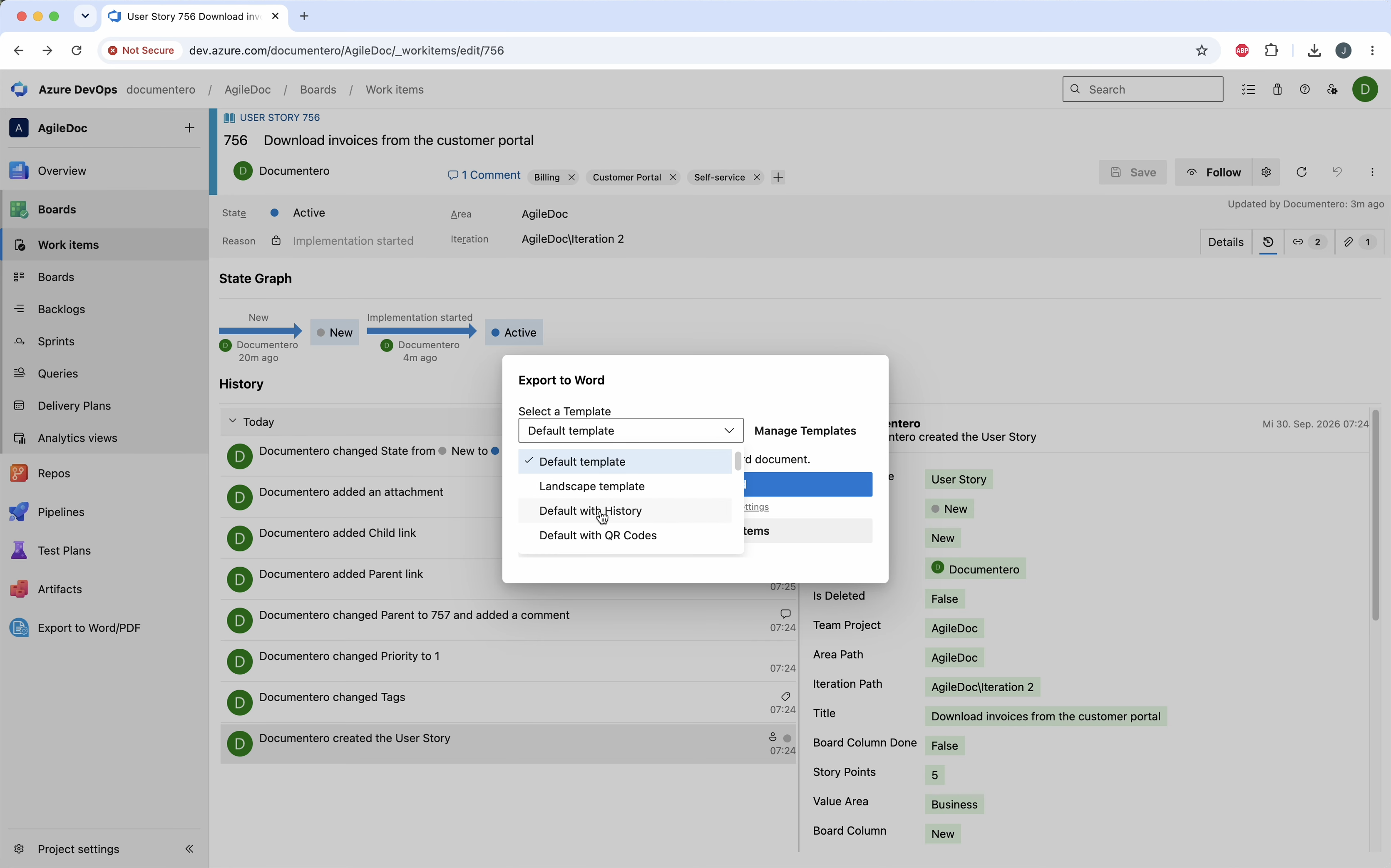
In the dialog, select Default with History, then export.
Review the revision history
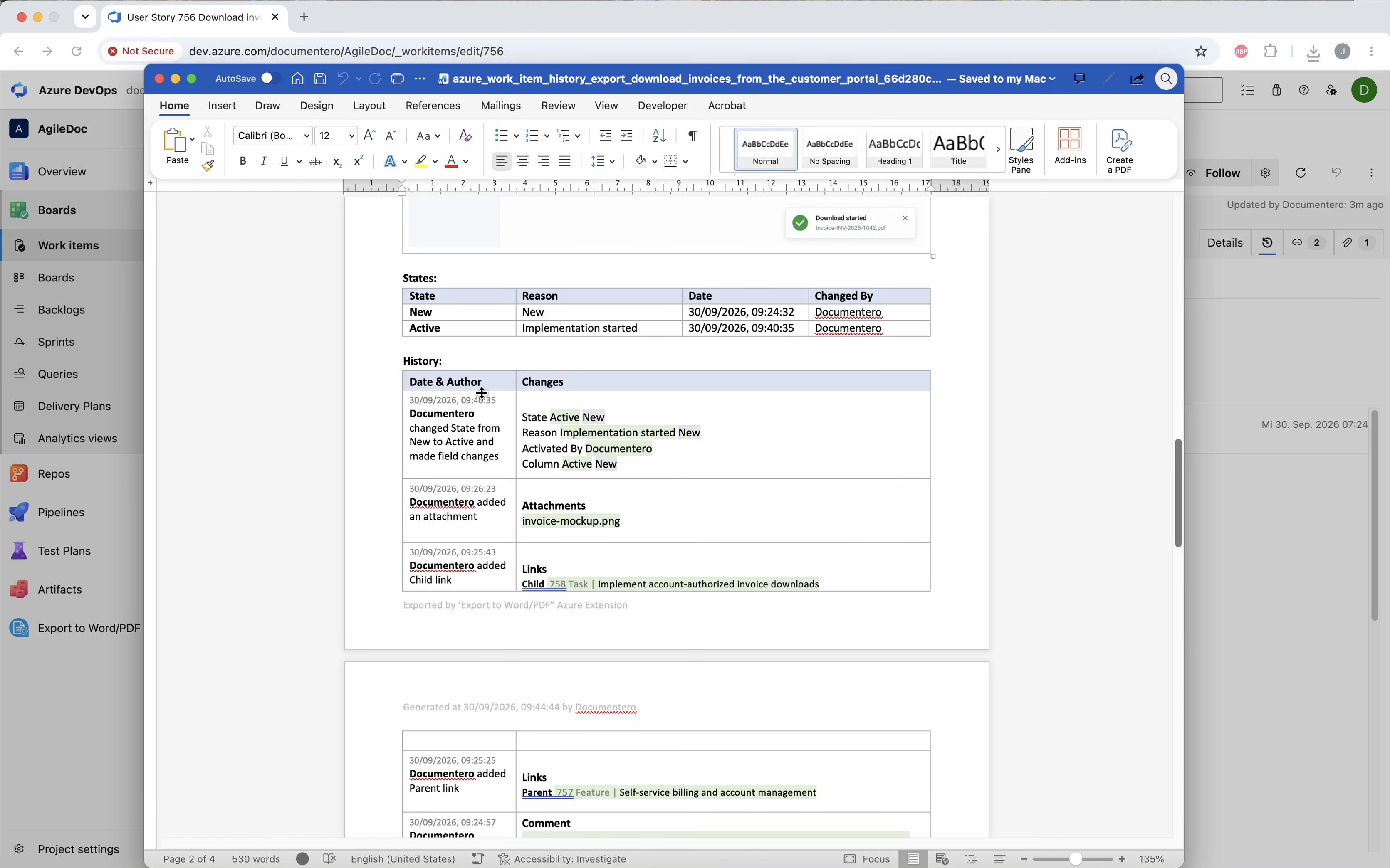
The file includes the work item plus its revision history: field changes, comments, links, and who changed them.
Common questions
How do I export Azure DevOps work item history to Word or PDF?
What does the history section include?
How many work items can include history?
Visual Studio Marketplace
Export to Word/PDF
Export work items, test plans, wiki pages, and work item history to Word or PDF.
Other Export to Word/PDF guides
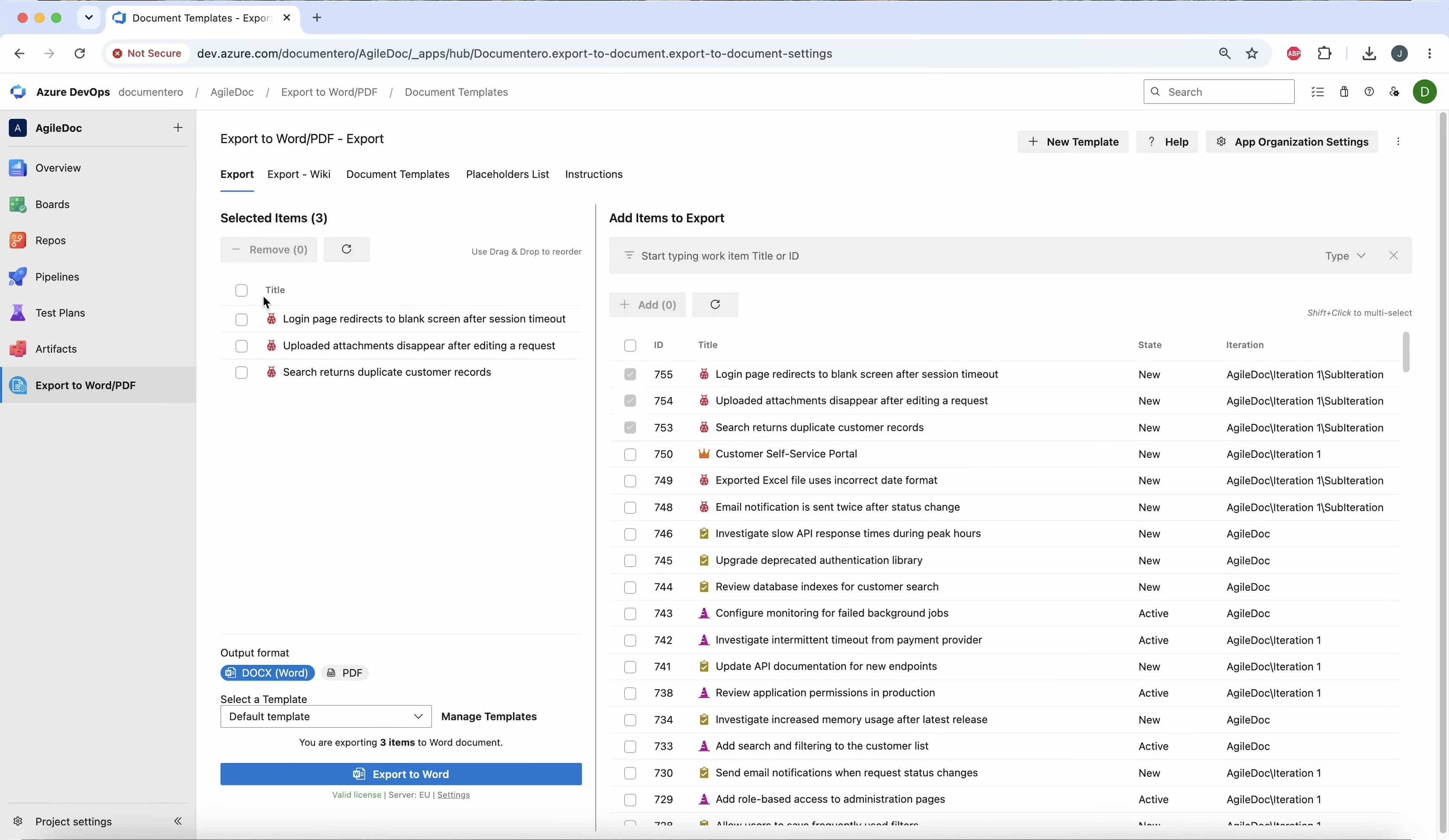
Export work items to Word or PDF
Export an Azure DevOps query, sprint, or single work item to one Word or PDF file. The document includes the description, images, and other fields from your template.
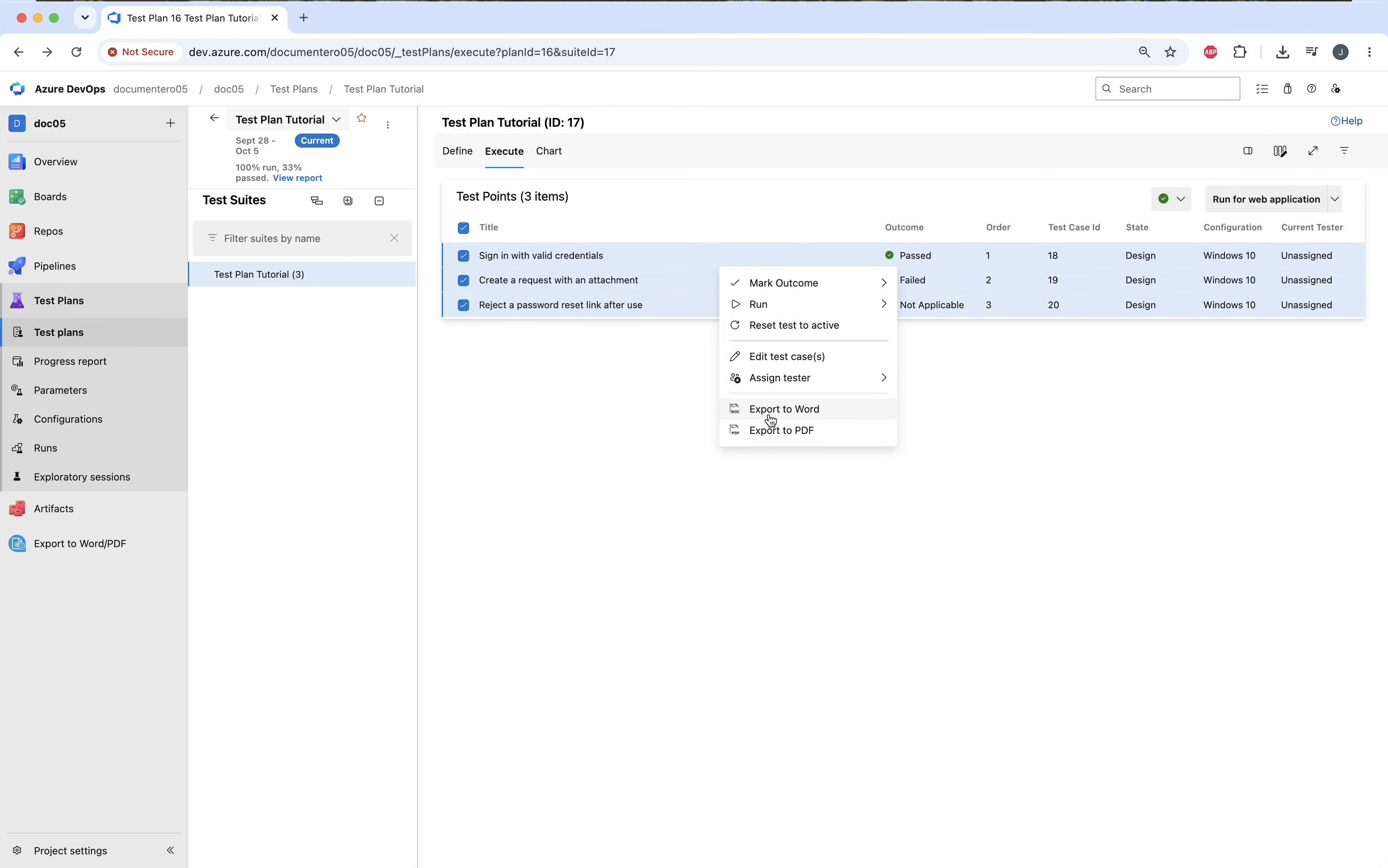
Export test plans to Word or PDF
Export Azure DevOps test cases to Word or PDF with steps, outcomes, and a test run report in one document.
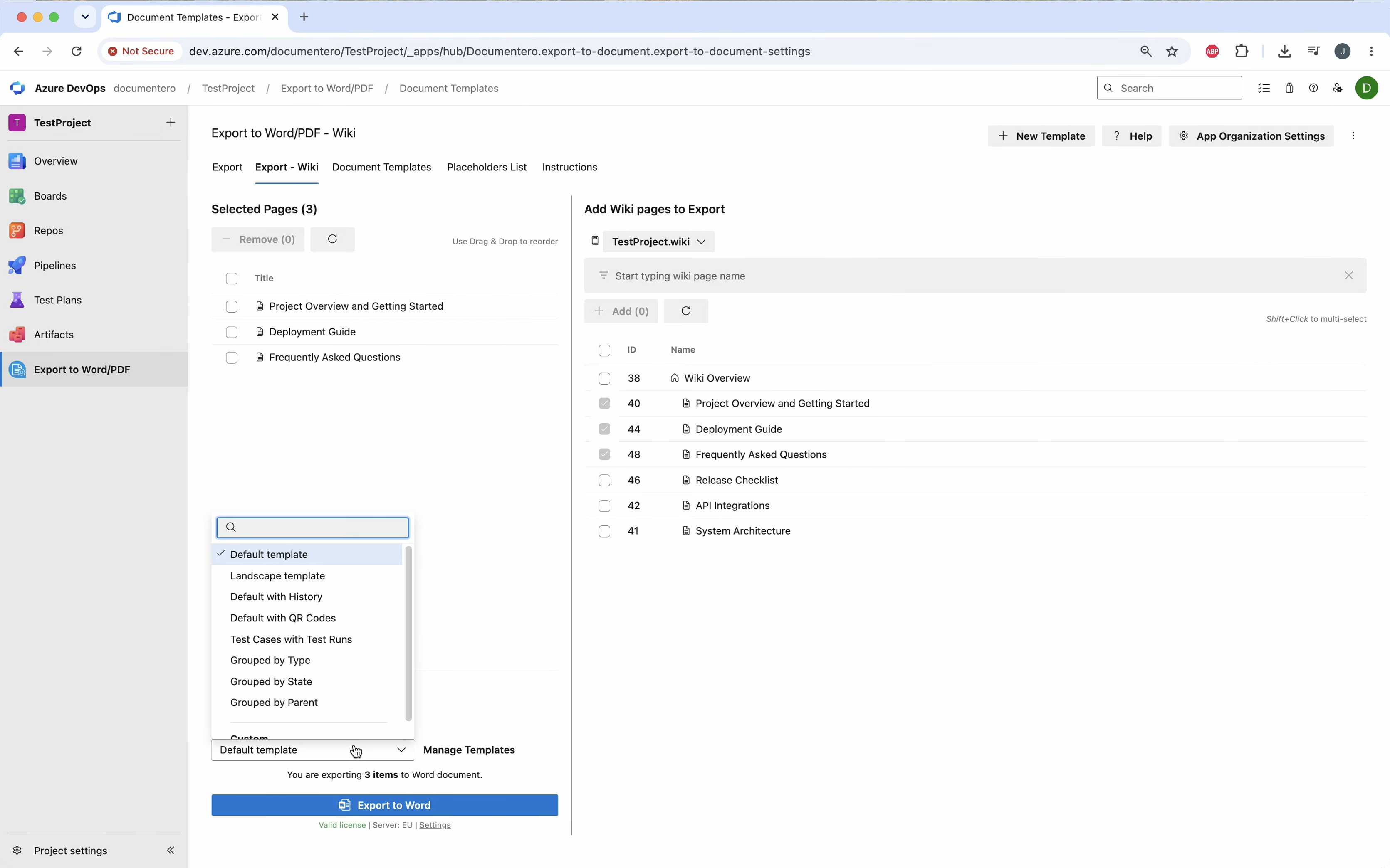
Export wiki pages to Word or PDF
Export an Azure DevOps wiki to PDF or Word without cloning the repository. Pick the pages, choose the format, and keep headings, lists, and images.