Email when a work item is deleted in Azure DevOps
When a work item is deleted, email the id, title, and who changed it in Azure DevOps.
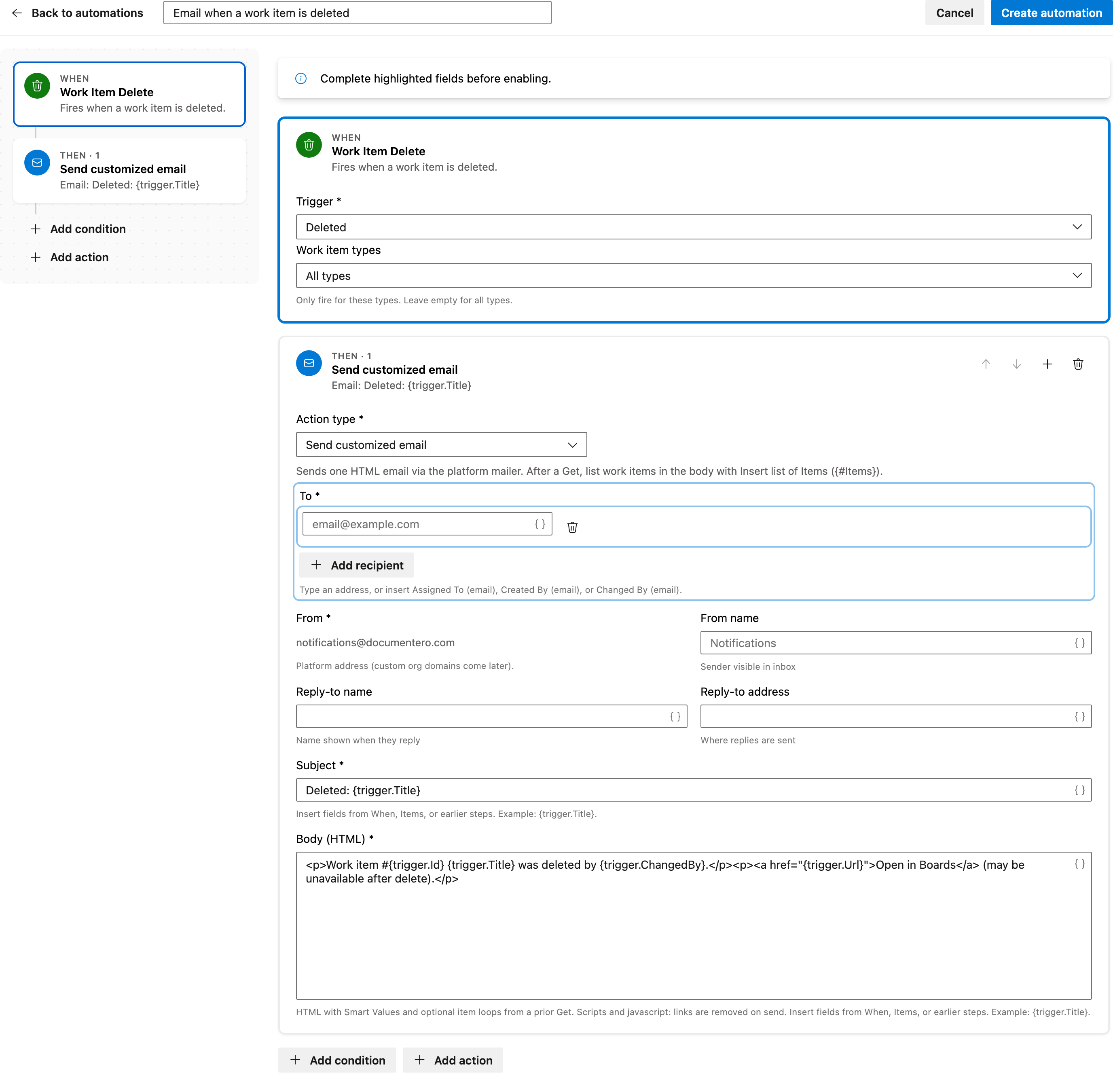
You'll need to specify the email recipients before enabling this automation. The email includes the work item's ID, title, and the person who deleted it.
Prerequisite: Install Automations App on your Azure DevOps organization
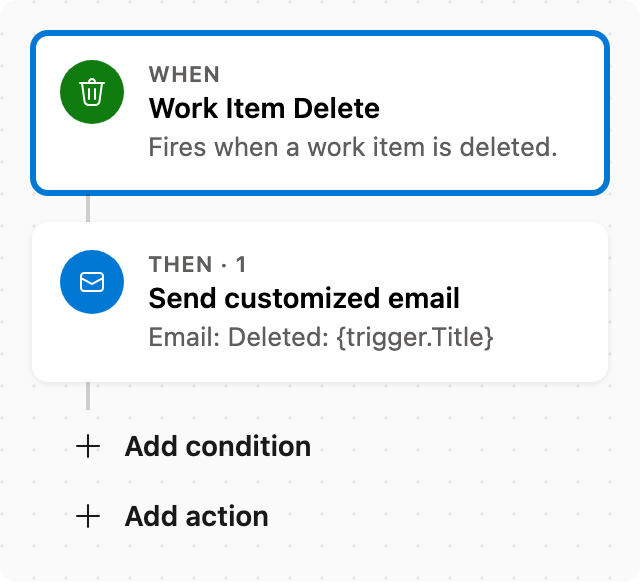
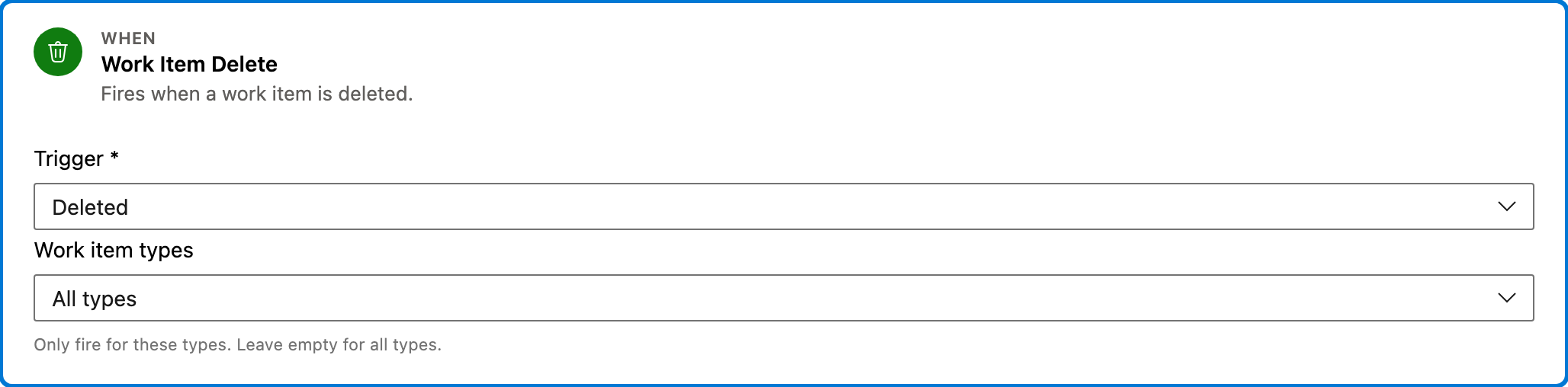
Trigger — Work Item Delete
This trigger activates the automation when any work item is deleted in Azure DevOps. It does not filter by work item type, so it applies to all deletions.
Configured in this template
- Work item types: all (no filter)
You can customize
- Limit the trigger to specific work item types by adjusting the filter settings.
Action — Send customized email
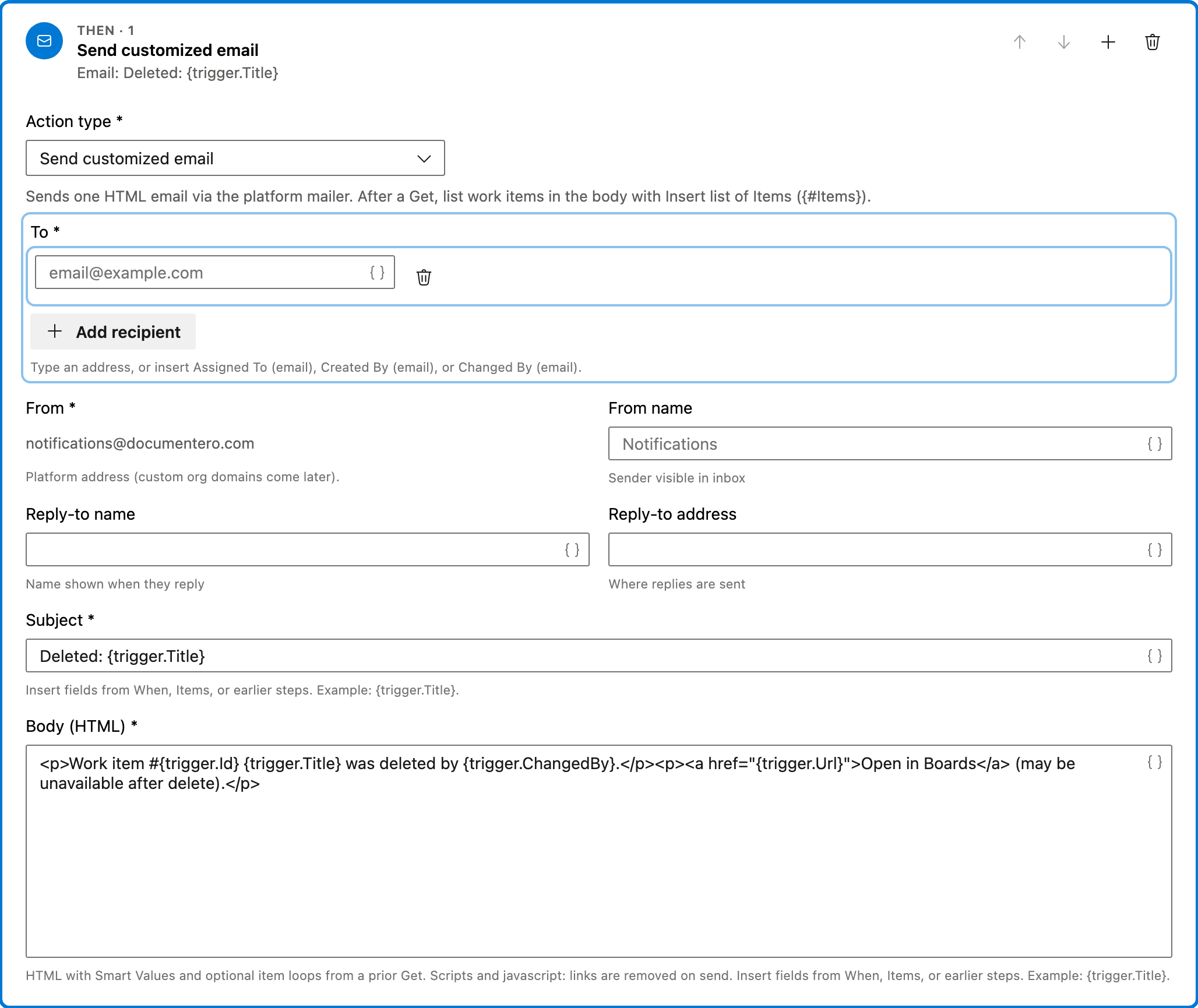
This action sends an HTML email through the platform mailer. The email contains the ID and title of the deleted work item, as well as the person who deleted it. A link to the work item in Boards is included, though it may be unavailable after deletion.
Configured in this template
- To: (empty — add recipients)
- From: notifications@documentero.com
- Subject: `Deleted:
{trigger.Title}` - Body (HTML): `<p>Work item #
{trigger.Id}{trigger.Title}was deleted by{trigger.ChangedBy}.</p><p><a href="{trigger.Url}">Open in Boards</a> (may be unavailable after delete).</p>`
You can customize
- Add multiple recipients by separating email addresses with commas.
- Modify the email subject to include additional context or details.
- Customize the body of the email to include more information or a different format.
Full automation
Common questions
How do I email when a work item is deleted in Azure DevOps?
What fields are required to enable this automation?
Can I change the work item types that trigger this automation?
How can I test this automation?
Will the Boards link in the email work after deletion?

Visual Studio Marketplace
Automations
Automate Azure DevOps workflows with triggers, actions, conditions, and scheduled rules.