Automatically tag new work items in Azure DevOps
Automatically tag new Azure DevOps work items when they are created, without removing tags that are already there.
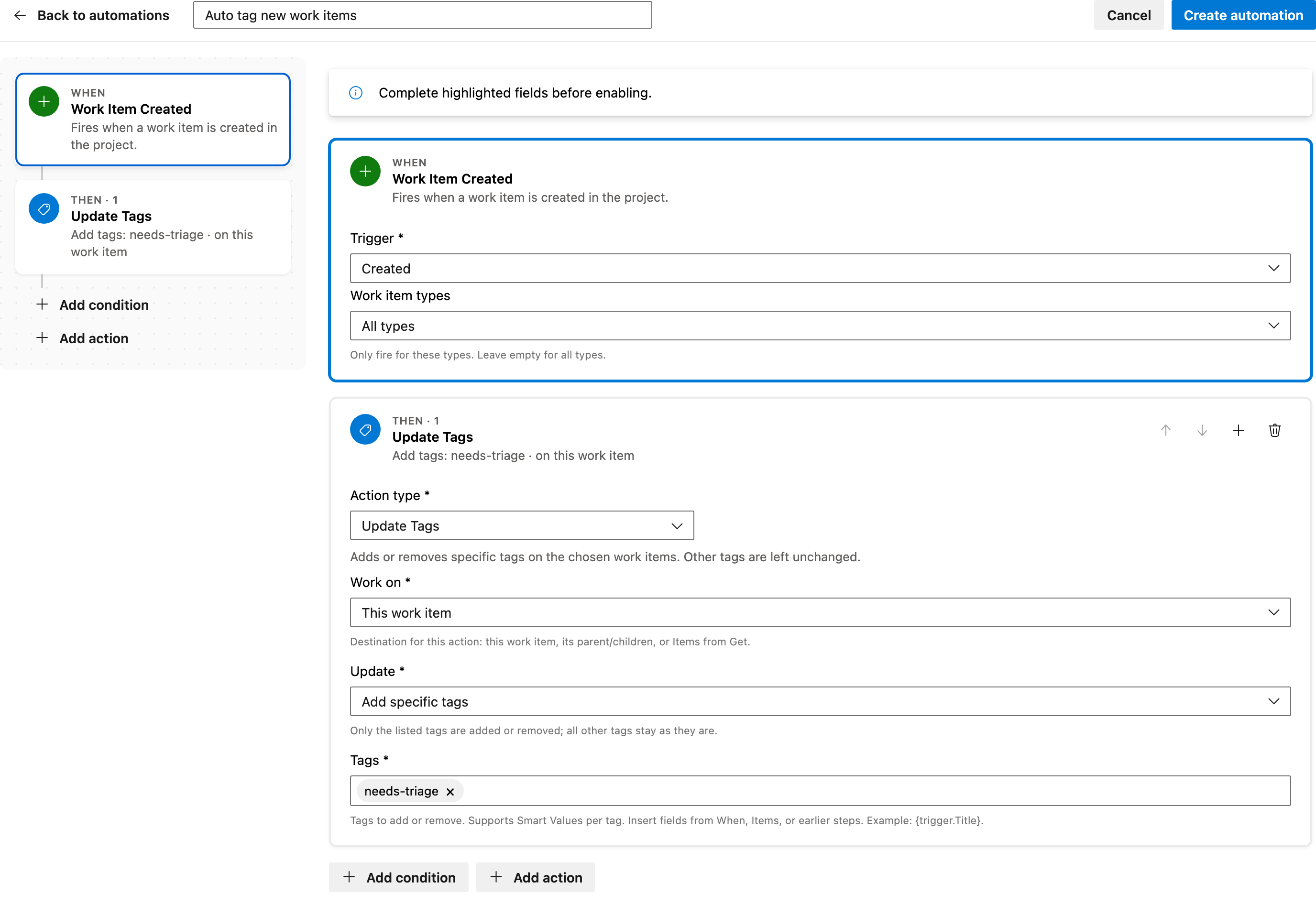
This guide will walk you through setting up the automation to ensure new work items are tagged correctly as soon as they are created. You will need to specify the tags to add before enabling the automation.
Prerequisite: Install Automations App on your Azure DevOps organization
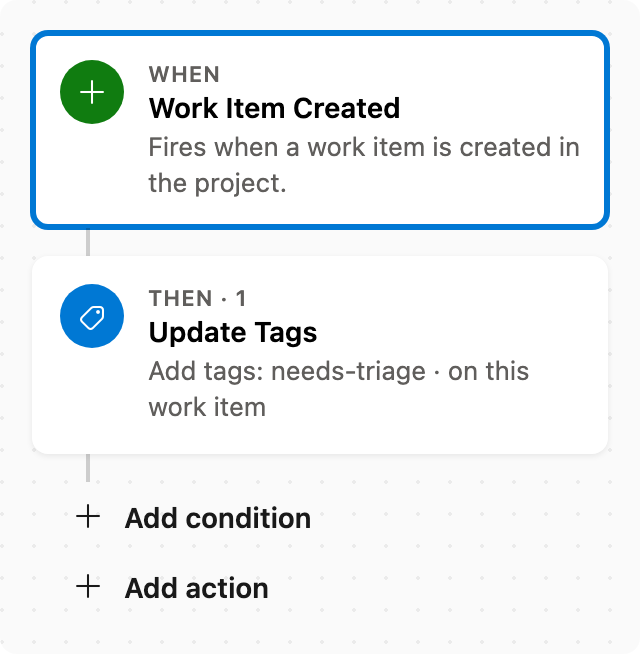
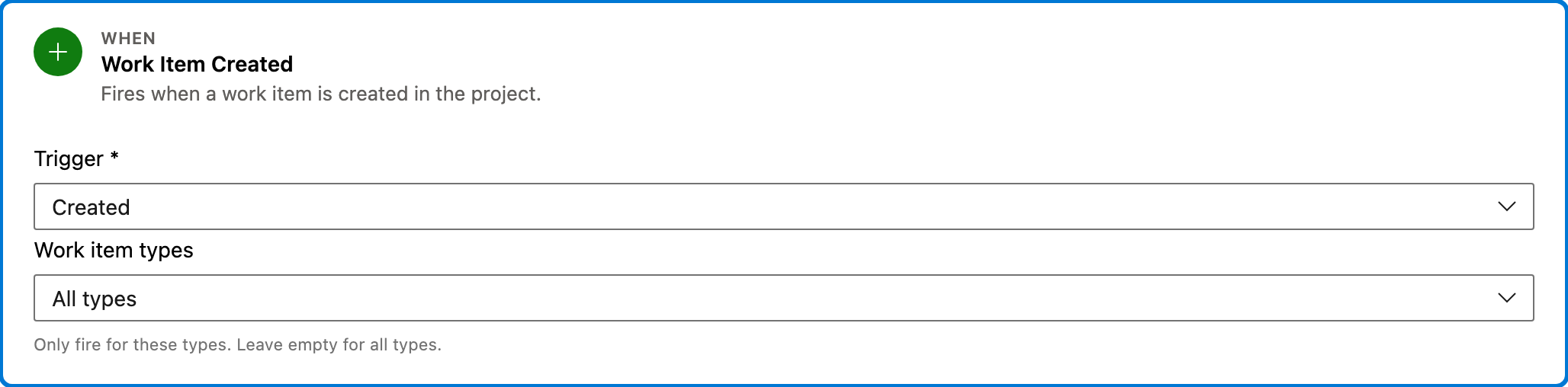
Trigger — Work Item Created
This step triggers the automation whenever a new work item is created in your project. It ensures that the subsequent actions are executed for every new work item.
Configured in this template
- Work item types: all (no filter)
You can customize
- Limit the trigger to specific work item types if needed.
- Adjust the project scope if you want to target a specific project.
Action — Update Tags
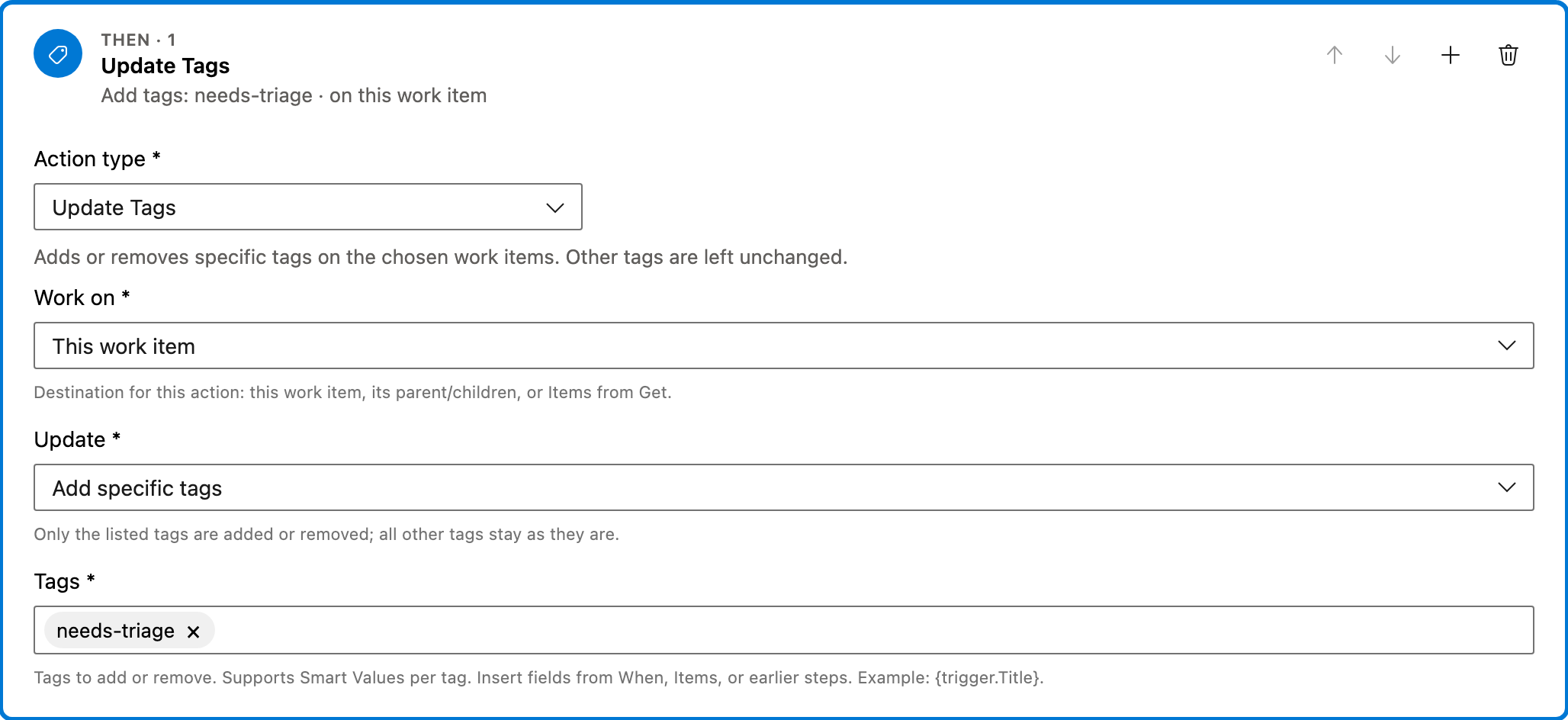
This action adds specific tags to the work item triggered in the previous step. It ensures that the specified tags are added without removing any existing tags.
Configured in this template
- Work on: This work item
- Update: Add specific tags
- Tags: needs-triage
You can customize
- Change the tags to add as per your project's requirements.
- Use different tag names to categorize work items differently.
- Consider adding multiple actions if different tags are needed based on conditions.
Full automation
Common questions
How do I automatically tag new work items in Azure DevOps?
What fields are required to enable this automation?
Can I change the work item types that trigger this automation?
How can I test this automation setup?

Visual Studio Marketplace
Automations
Automate Azure DevOps workflows with triggers, actions, conditions, and scheduled rules.
Other Work Items templates in Automations.
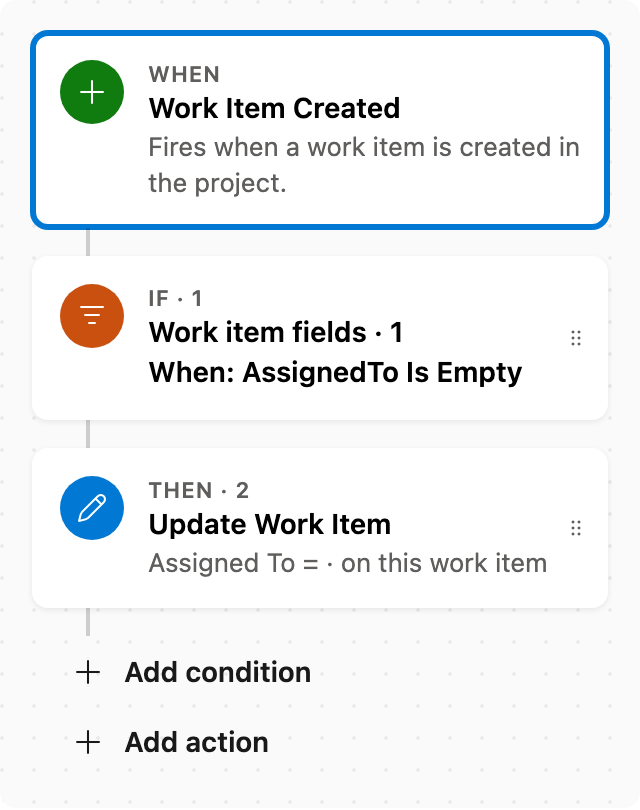
Auto assign new work items
When a work item is created with no assignee, set Assigned To. Skips items that already have someone assigned.
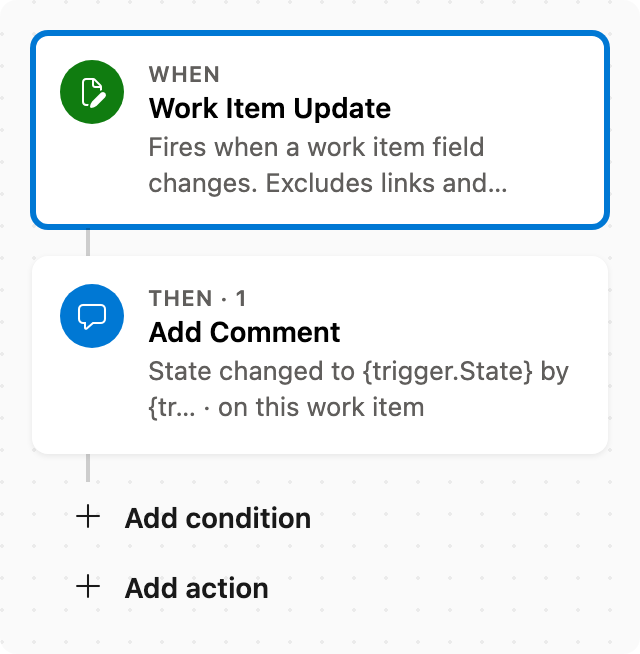
Add comment after status change
When State changes, add a comment naming who changed it and the new state.
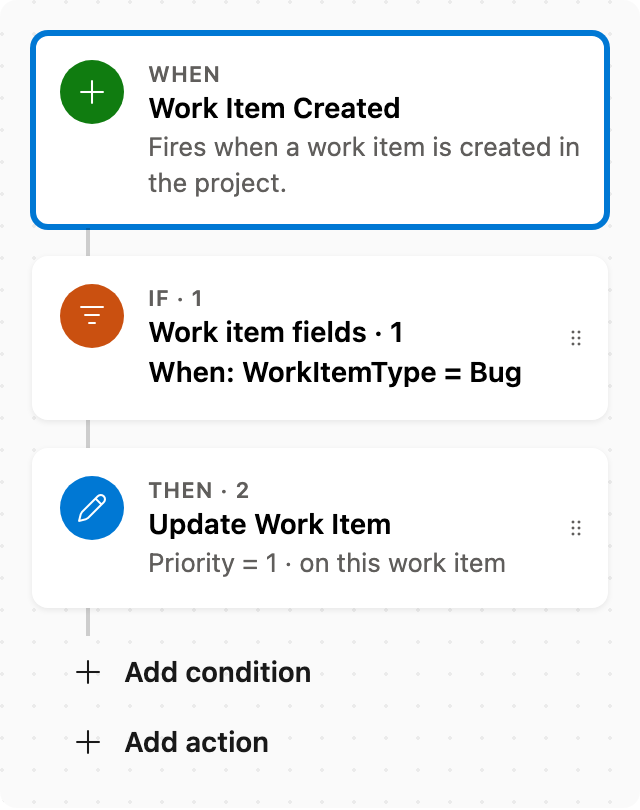
Set Priority by rules
When a work item is created as a Bug, set Priority to 1. Adjust conditions as needed.
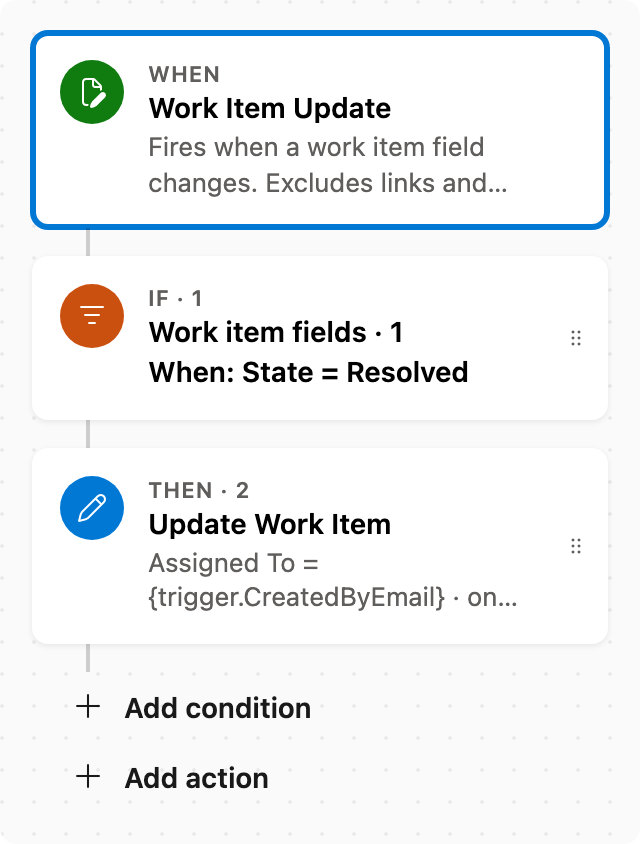
Reassign to creator when resolved
When State changes to Resolved, assign the item to whoever created it (typical verification). Scrum and Basic have no Resolved state — this only fires when the type has one.