Reassign to creator when resolved in Azure DevOps
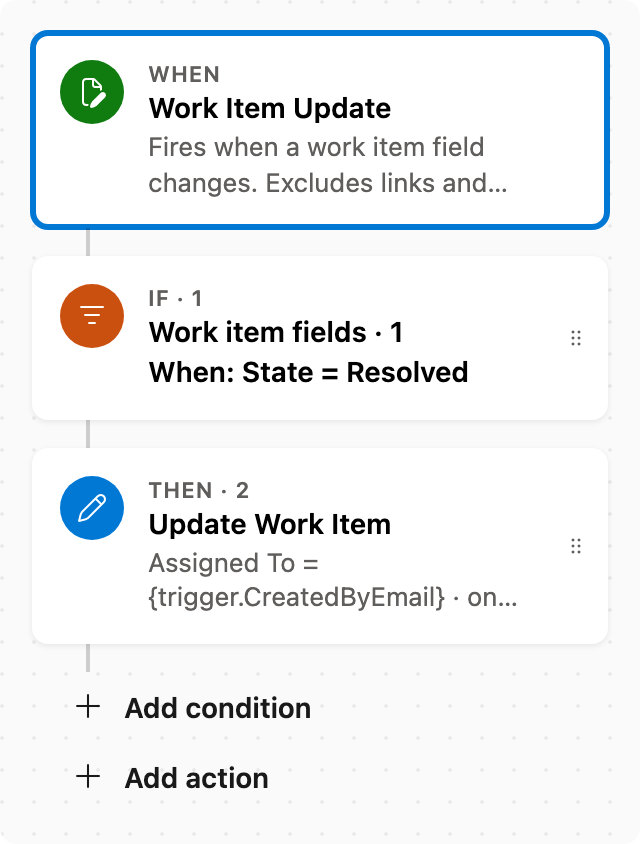
When State changes to Resolved, assign the item to whoever created it (typical verification) in Azure DevOps.
This is useful for verification purposes, ensuring the creator is notified once their work item reaches a resolved state. Note that Scrum and Basic processes do not have a Resolved state, so this automation will only trigger for work item types that include it.
Prerequisite: Install Automations App on your Azure DevOps organization
Trigger — Work Item Update
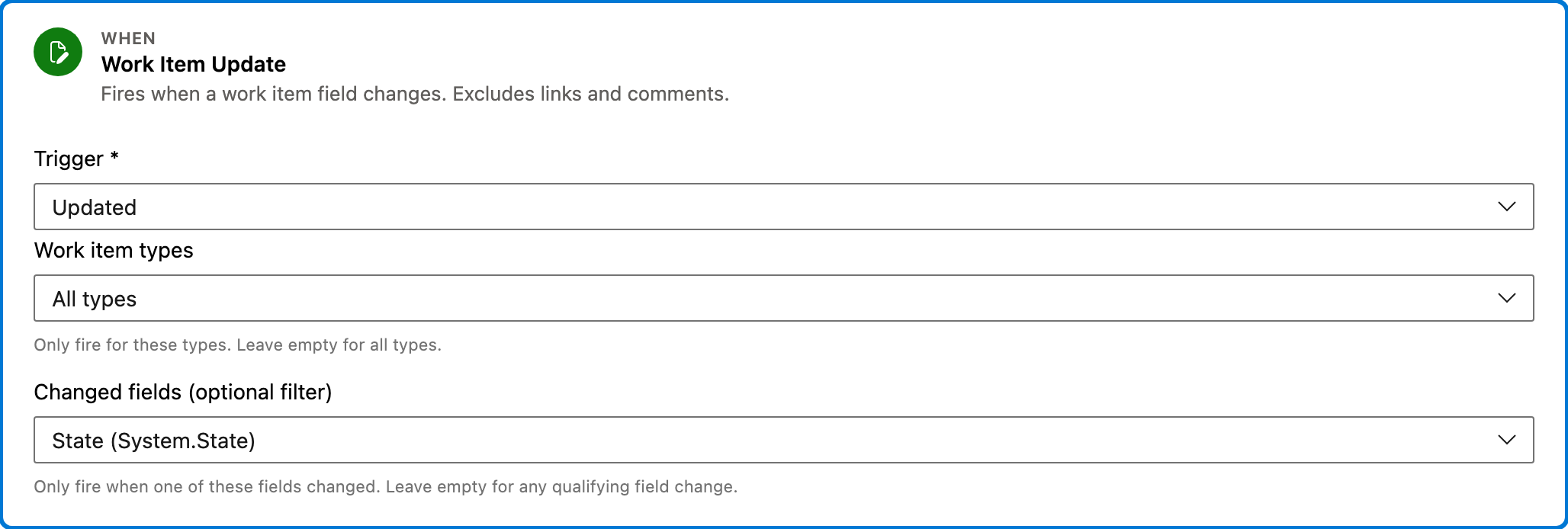
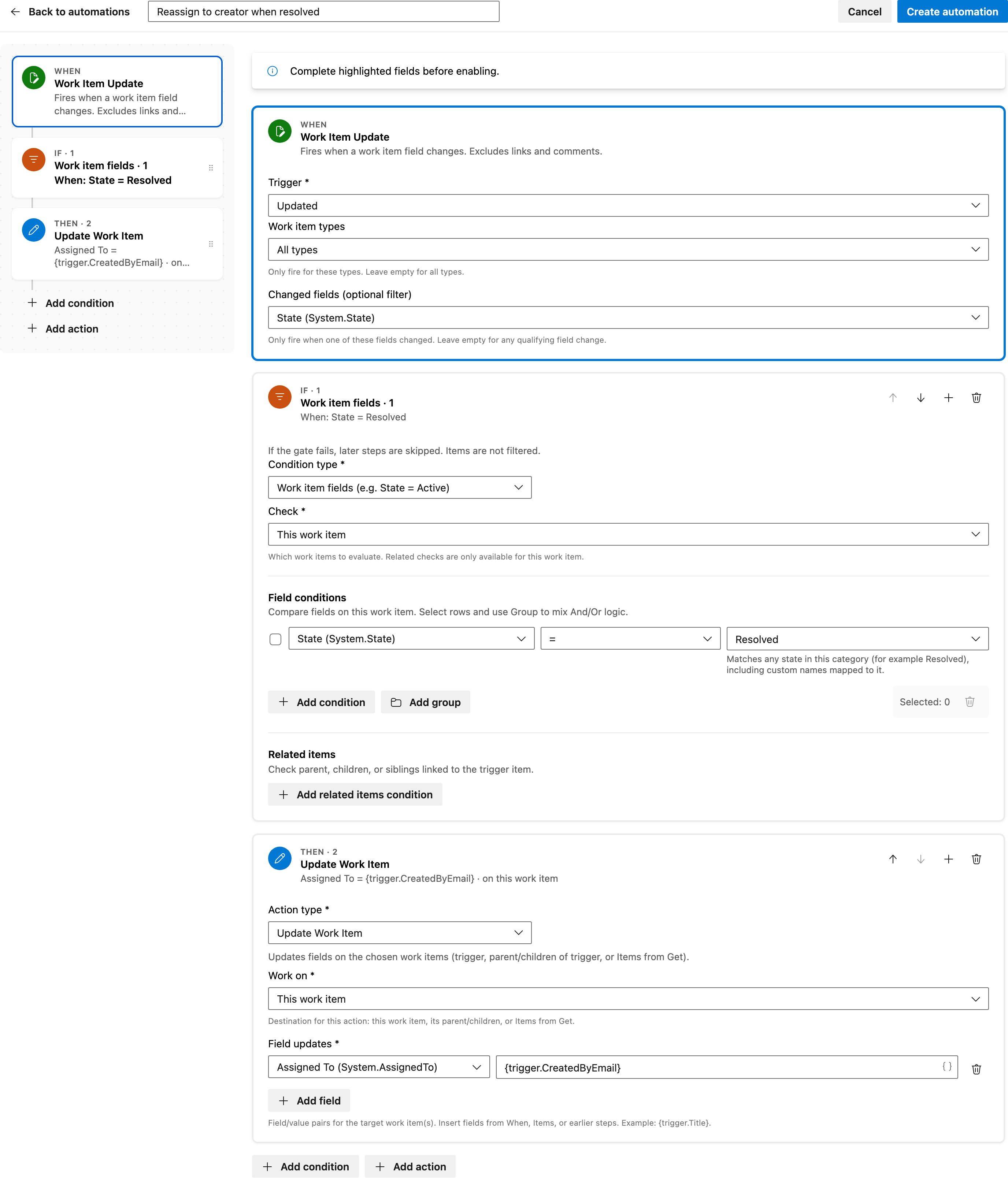
This trigger activates when a work item field changes. It specifically monitors changes to the State field, which is crucial for this automation.
Configured in this template
- Work item types: all (no filter)
- Changed fields (optional filter): State
You can customize
- Limit the trigger to specific work item types by setting a filter.
- Add additional fields to monitor if necessary.
Condition — Work item fields
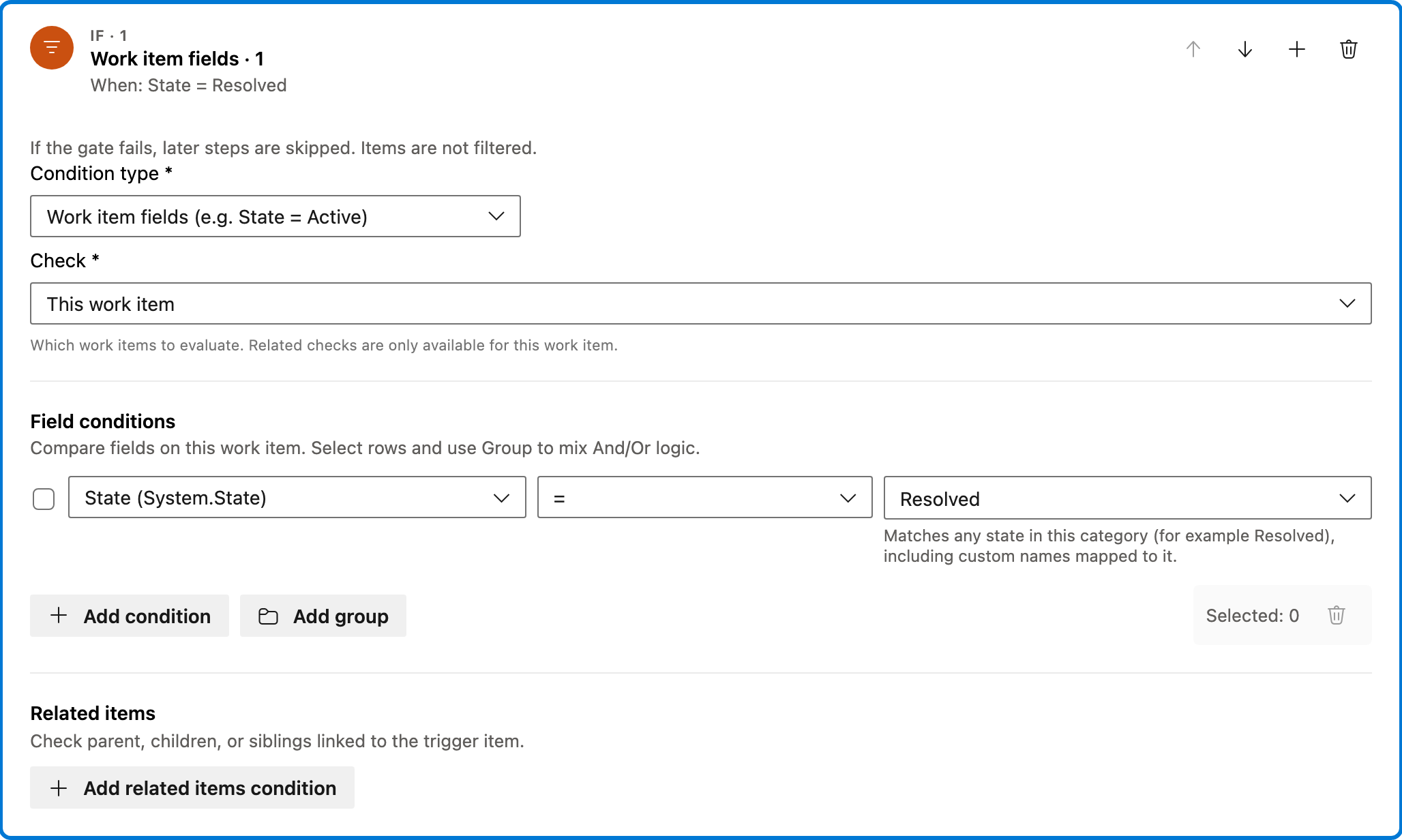
This condition checks if the work item's State field is set to a category that includes Resolved. It ensures that the action only executes under these circumstances.
Configured in this template
- Check: This work item
- Require: All of Items
- Field conditions: State = state category Resolved
- Match logic: All conditions must match (AND)
- Related work item conditions: (none)
You can customize
- Adjust the State category to match your specific workflow requirements.
- Add more field conditions if needed.
Action — Update Work Item
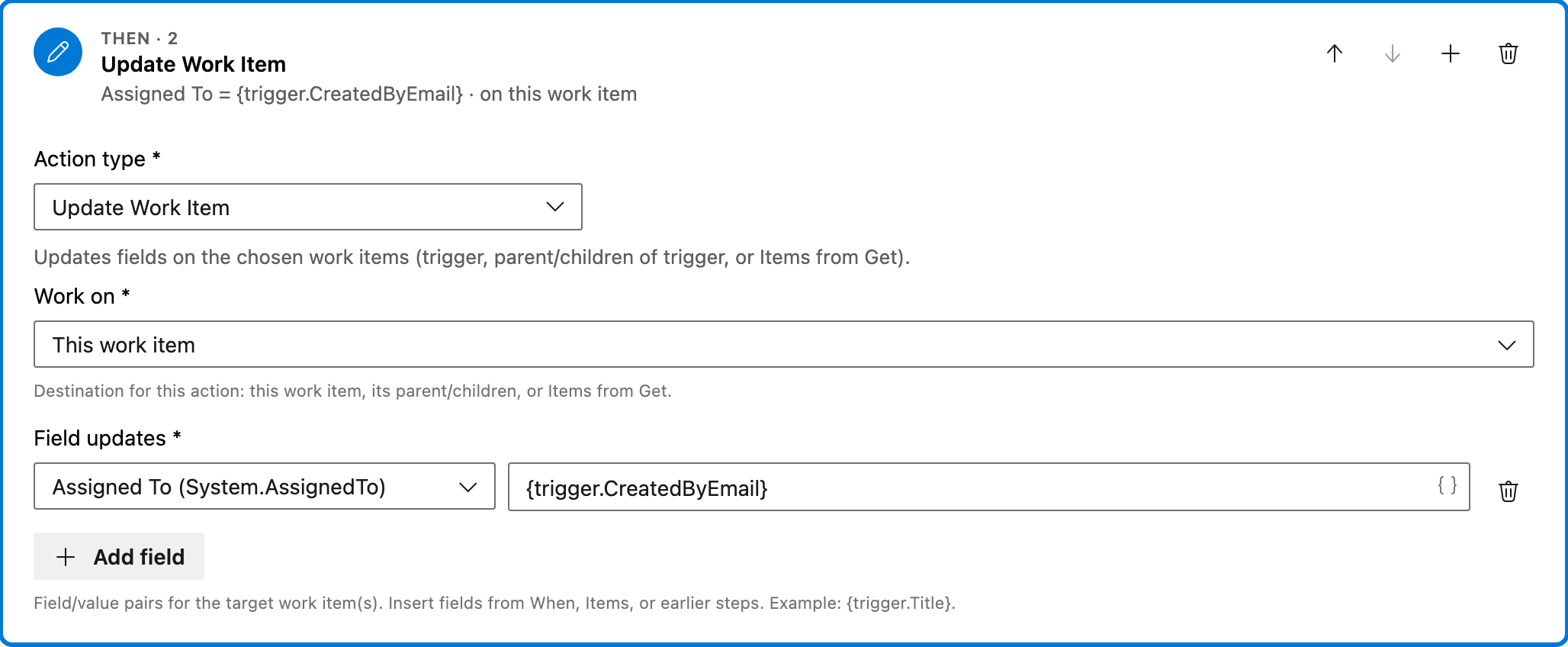
This action updates the Assigned To field of the work item to the email of the person who created it, effectively reassigning it to them.
Configured in this template
- Work on: This work item
- Field updates: Assigned To =
{trigger.CreatedByEmail}
You can customize
- Change the field to update if you want to assign to a different role.
- Include additional field updates if necessary.
Full automation
Common questions
How do I reassign to creator when resolved in Azure DevOps?
What fields are required to enable this automation?
Can I change the work item types this automation applies to?
How can I test this automation?
Does this automation work with all process templates?

Visual Studio Marketplace
Automations
Automate Azure DevOps workflows with triggers, actions, conditions, and scheduled rules.
Other Work Items templates in Automations.
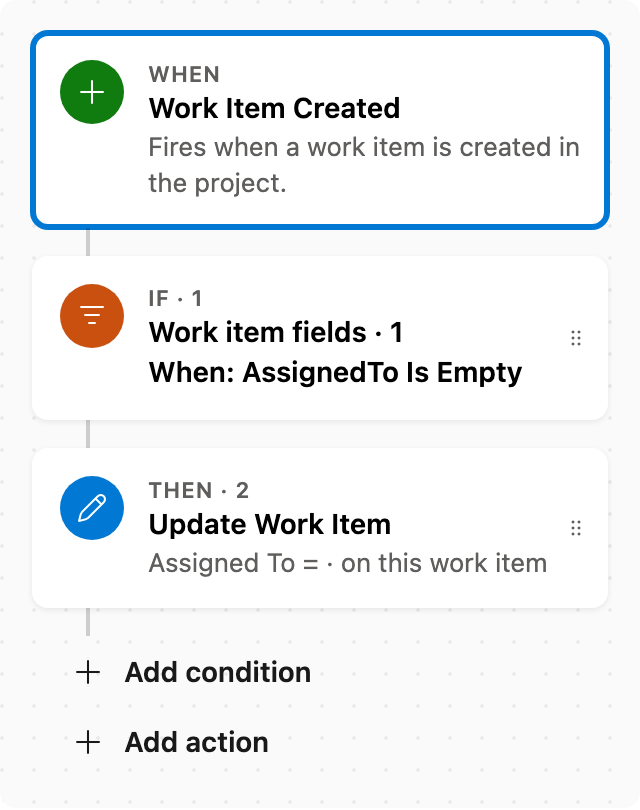
Auto assign new work items
When a work item is created with no assignee, set Assigned To. Skips items that already have someone assigned.
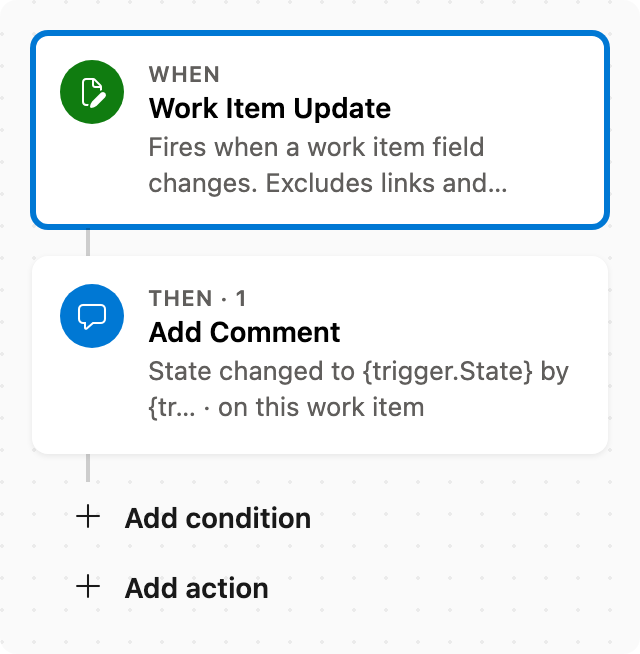
Add comment after status change
When State changes, add a comment naming who changed it and the new state.
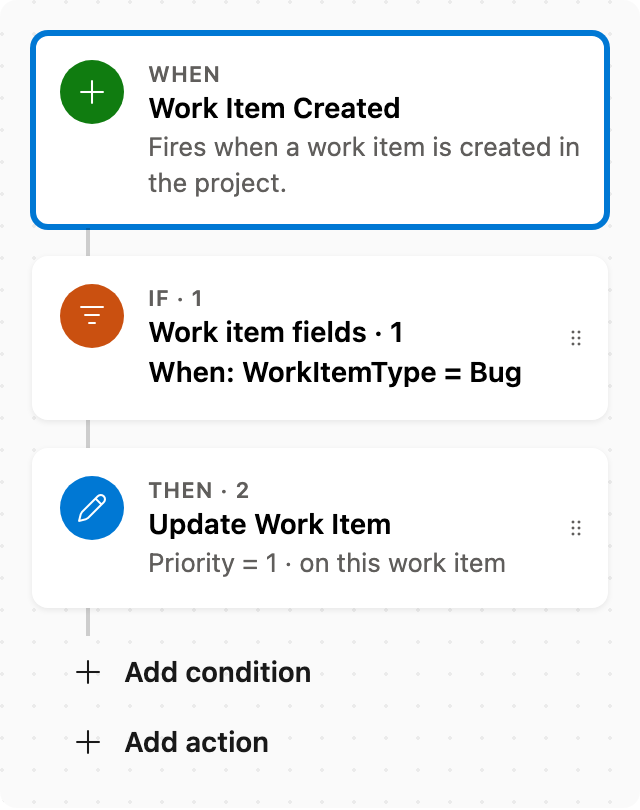
Set Priority by rules
When a work item is created as a Bug, set Priority to 1. Adjust conditions as needed.
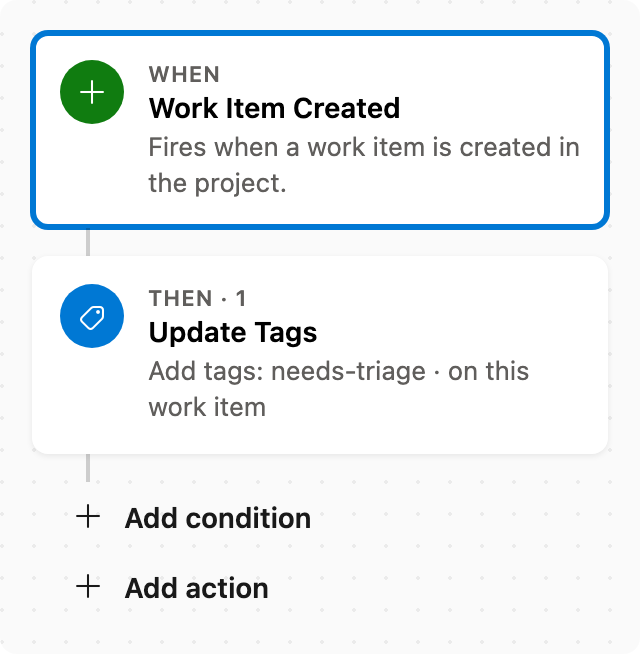
Auto tag new work items
When a work item is created, add tags without removing existing ones.