Work Items
Templates that assign, tag, comment, or update fields when work items change.
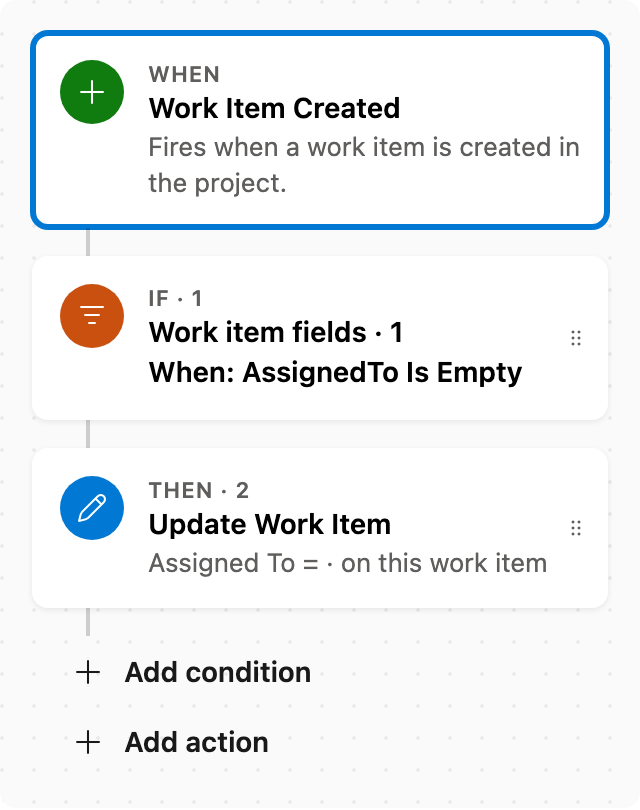
Auto assign new work items
When a work item is created with no assignee, set Assigned To. Skips items that already have someone assigned.
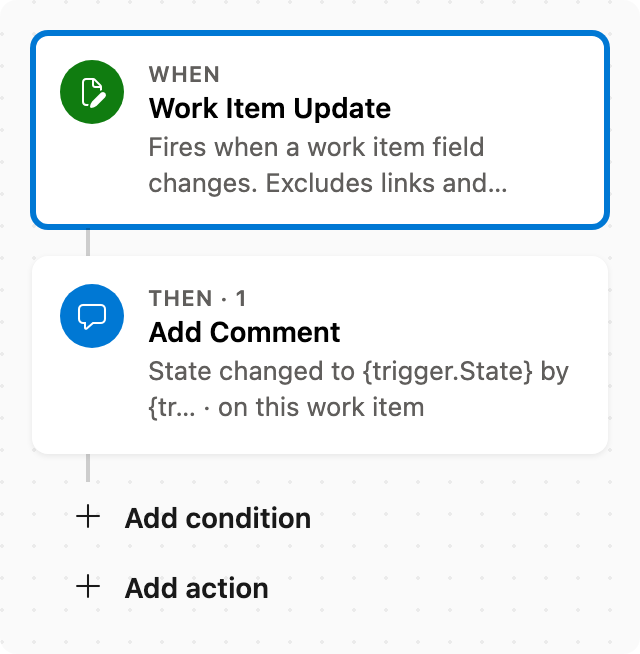
Add comment after status change
When State changes, add a comment naming who changed it and the new state.
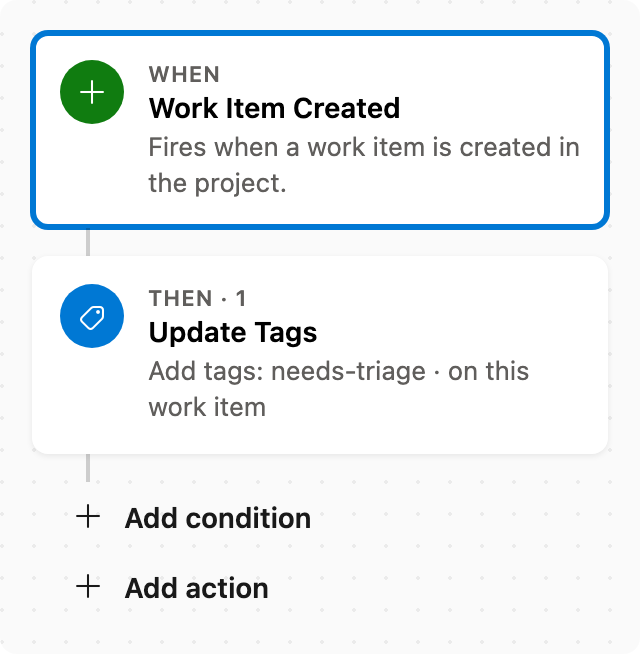
Auto tag new work items
When a work item is created, add tags without removing existing ones.
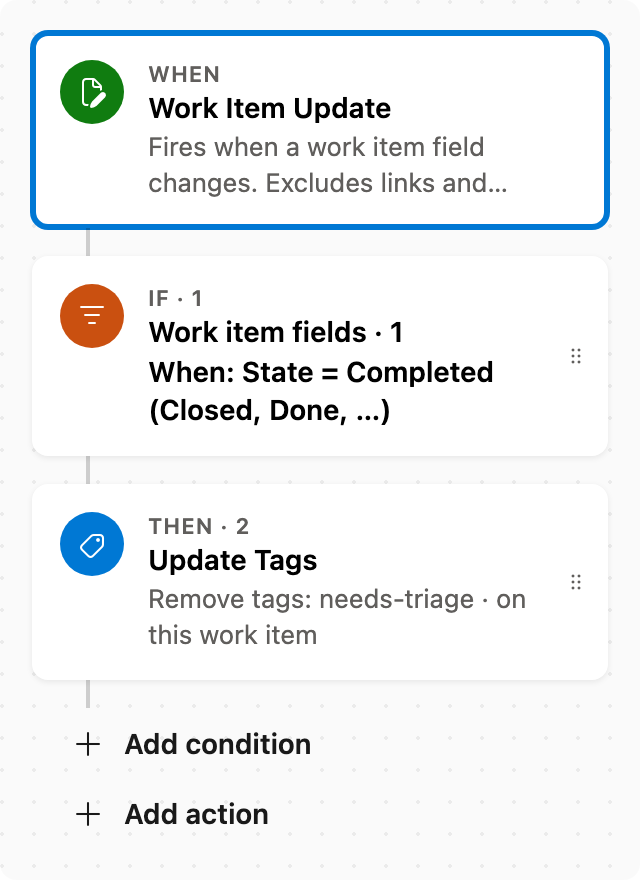
Clear triage tags when work is completed
When State changes to Completed (Closed or Done), remove the listed tags and leave other tags unchanged. Pairs with Auto tag new work items.
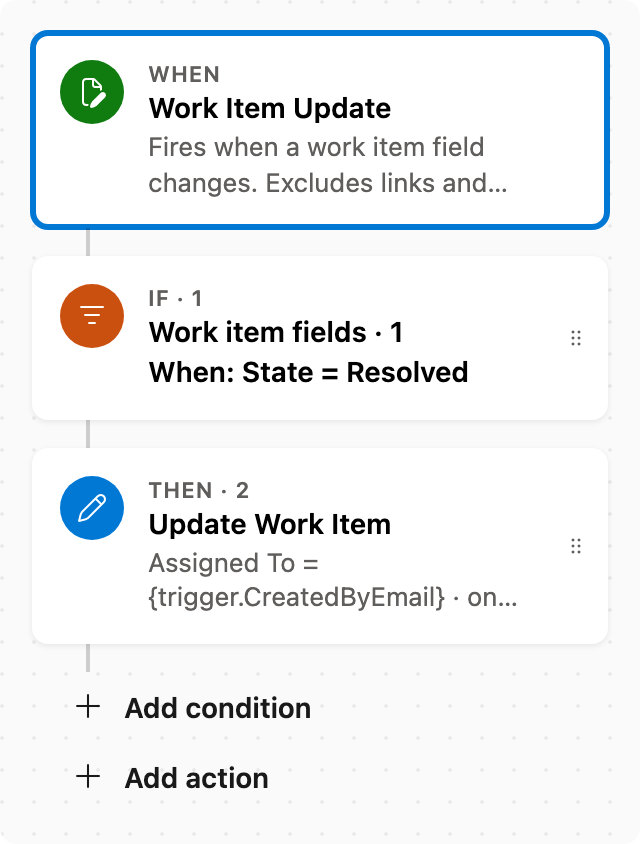
Reassign to creator when resolved
When State changes to Resolved, assign the item to whoever created it (typical verification). Scrum and Basic have no Resolved state — this only fires when the type has one.
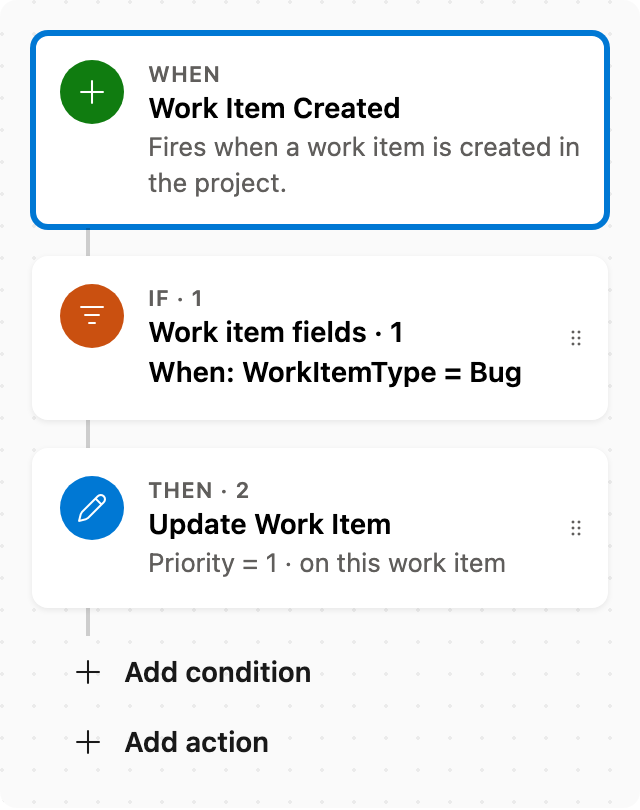
Set Priority by rules
When a work item is created as a Bug, set Priority to 1. Adjust conditions as needed.
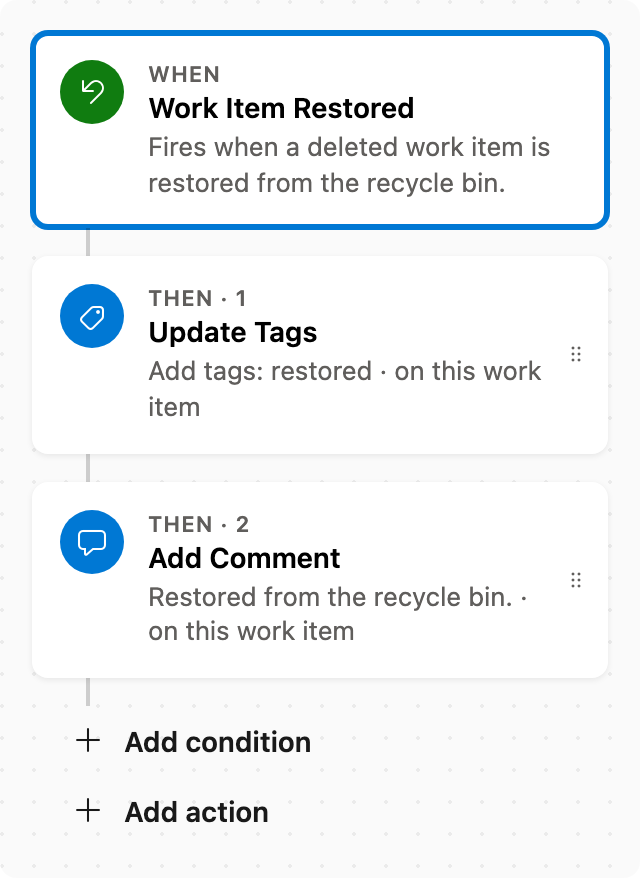
Tag restored work
When a work item is restored from the recycle bin, add a restored tag and a comment. Run now is not available — restore an item to test. Pairs with Email when a work item is deleted.